Feedback at the frame
Leave timecoded notes, draw on frames, reply to comments and resolve feedback. Keep team and client contributions visible in context.

A review workflow connected to the production, with a Mac and DaVinci Resolve bridge back to the timeline.
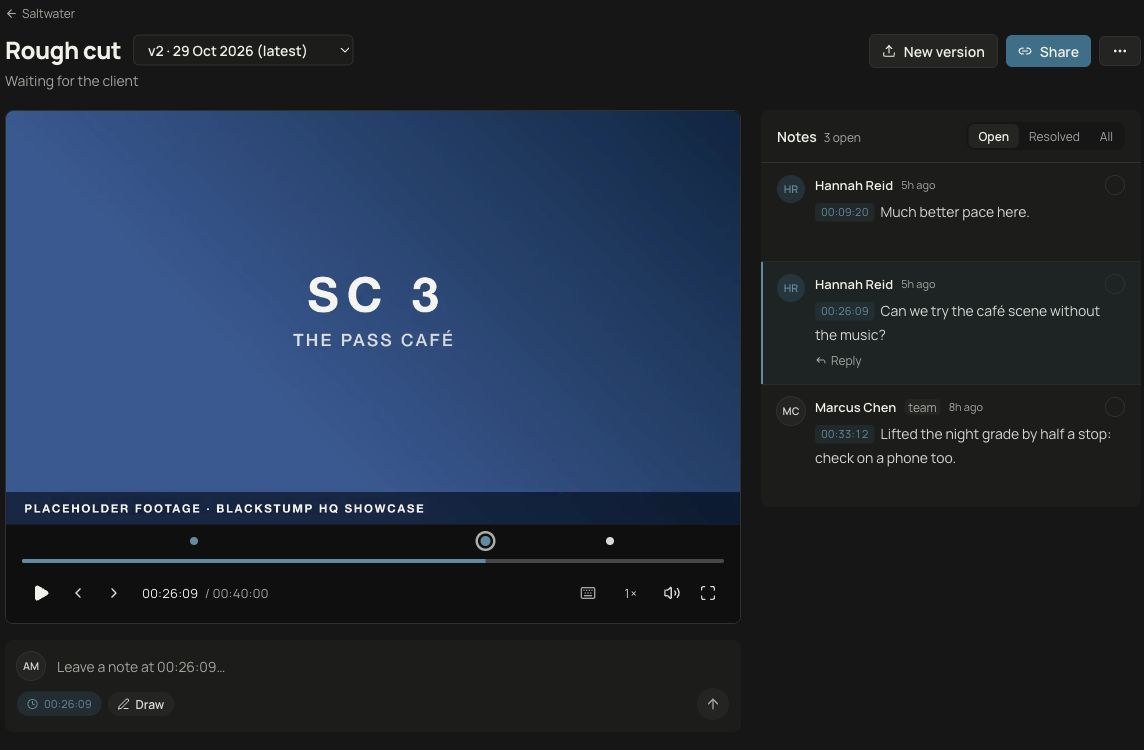
Keep the conversation beside the media. Reviewers can point to the moment they mean, and the team can see what still needs attention.
Leave timecoded notes, draw on frames, reply to comments and resolve feedback. Keep team and client contributions visible in context.
Upload the next cut without losing the earlier conversation. Switch between versions or compare them side by side and with a wipe.
Keep approval and requests for changes with the relevant cut, so the production has a clear reference for the next round.
The Mac workflow connects Resolve to the production’s review area. Keep editing and review connected without moving the conversation into another email thread.
Use the Resolve integration to Quick Export a timeline and upload it as a new review item or the next version.
Collect client and team notes at specific frames. Follow replies, resolved notes and the review decision.
Bring timecoded feedback back as timeline markers, with drawings placed as overlays, and jump to notes from the review panel.
The integration requires the Timecode Mac app and local installation. The Workflow Integration panel requires DaVinci Resolve Studio; a Scripts-menu bridge is also provided. Confirm compatibility and test your export/upload workflow before using it on a job. DaVinci Resolve is a Blackmagic Design product; no endorsement is implied.
Keep deliverables, file handover and archive records connected to the production. Track the drives and backup copies you log, so wrap-up includes more than the latest cut.
Large-file download delivery requires Cloudflare R2 and is not currently enabled on the live service. Email notifications need a configured sender. Drive and backup tracking is a record of your copies, not an automated backup service.
Discuss your post workflowTalk to Xander about your workflow, access to Timecode or a guided look at the platform.