
From the first plan
to the final handover.
A production has many moving parts. Timecode gives them a shared workspace, with the next piece of work close at hand.
Build a shootable plan
from the script.
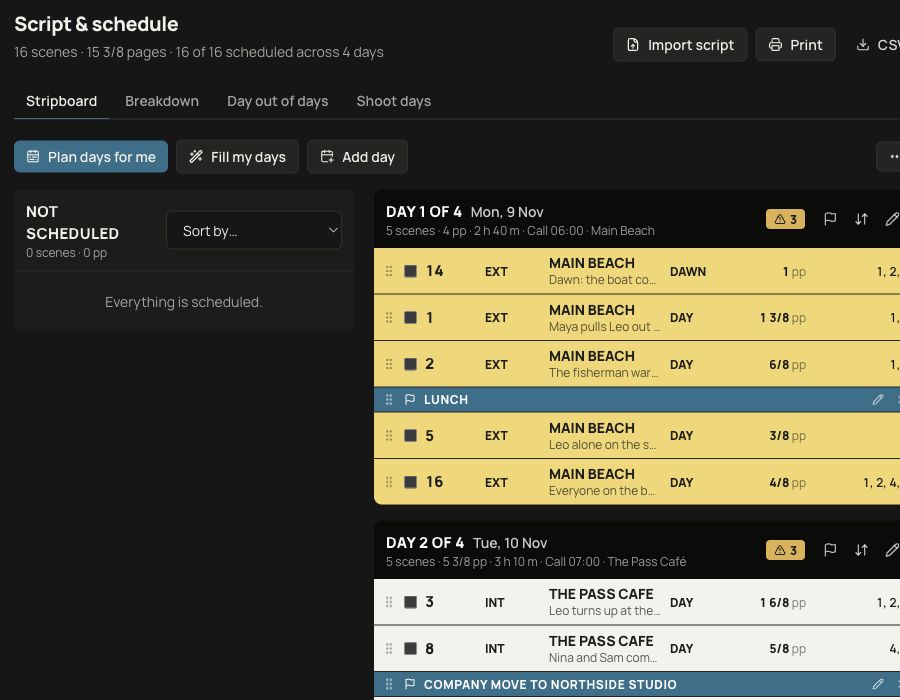
Break down the work
Import Final Draft or Fountain scripts, then work with scenes, cast, locations and breakdown elements. Keep scene pages and production requirements beside the schedule.
Shape the days
Organise scenes on a stripboard, add moves and breaks, keep schedule versions and check availability clashes. View day-out-of-days and print schedule reports.
Keep the job moving
Give tasks an owner and a due date. Track a production through its stages, from enquiry and booking through shoot, post and payment.
A shared production.
A personal view.
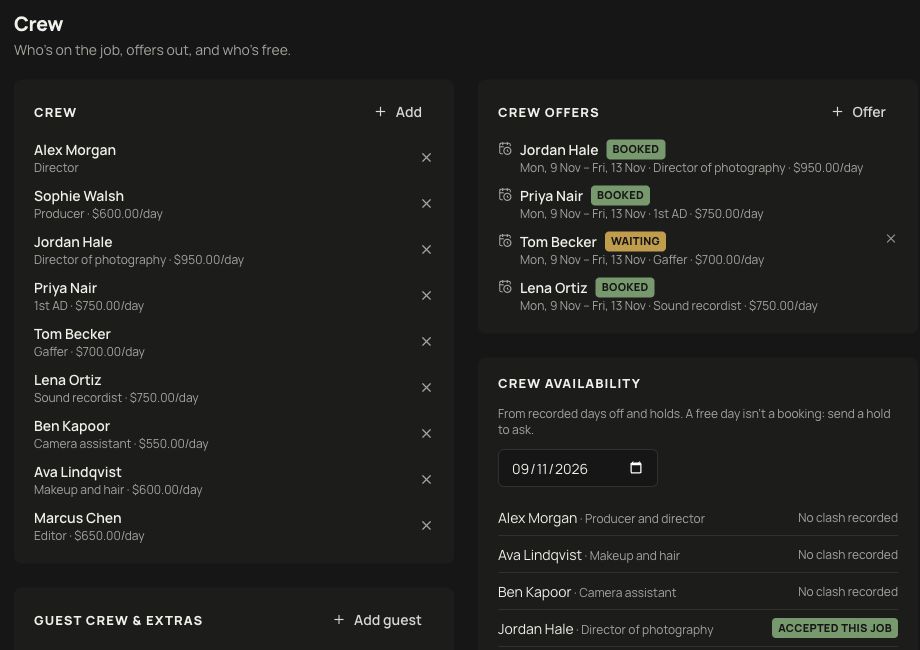
Put the team together
Keep crew roles and rates with the job. Record availability, send booking offers and distinguish a pending offer from an accepted booking.
Share what each person needs
Cast portals hold personal calls and shared documents. Crew have their own desk; guest crew can use a private link for selected shoot days and files.
Coordinate the journey
Record flights, pickups, hire cars and accommodation, and make itineraries available to the people travelling.
Travel details are entered manually. Automatic booking-confirmation import and per-diem handling are not currently available. Email notifications require a configured sending service.
The plan in hand.
The day in view.
Prepare the call
Bring calls, location details, the schedule, scenes and safety notes into printable call sheets. Track acknowledgements and give cast their individual call information.
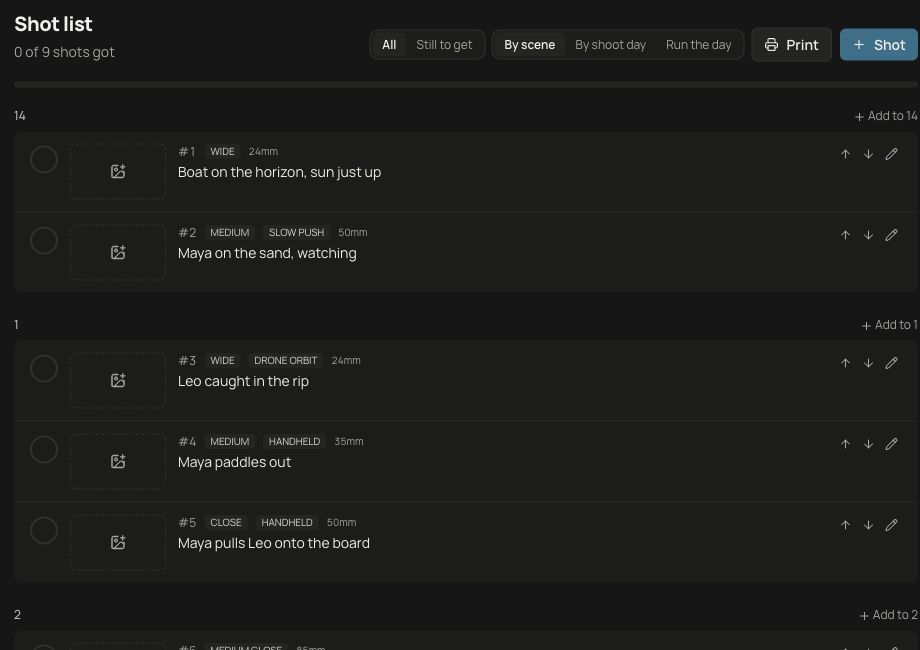
Follow the coverage
Build shot lists with camera moves, lens details and optional storyboard frames. Group by scene or day, run the day and mark shots as captured or dropped.
Keep a record
Draw shot and lighting plans. Record call, lunch and wrap times, delays and incidents in a daily production report, with shot and scene progress drawn from the job.
Watch the conditions
Check location forecasts, hourly rain and wind, sunrise, sunset and golden hour. Weather depends on location data, forecast coverage and the configured weather service.
The paperwork.
The money. The kit.
Clients, quotes & invoices
Keep a client’s productions and paperwork together. Prepare quotes for online acceptance, create invoices, record payments and expenses, and follow the job’s budget and actual costs.
Contracts & documents
Keep contracts, releases, permits and production documents with the job. Publish document versions and share them with the relevant people.
Online card payments require Stripe setup. Outbound email requires a verified sending service. Document templates need to be reviewed for your production and jurisdiction.
Equipment
Maintain an equipment register, allocate gear to jobs, track check-outs and returns, and manage hire bookings and agreements.
Drives & backups
Record working, backup, offsite and archive copies against productions. Track where drives are kept and whether a copy has been verified.
Backup records track the copies you log. Timecode does not copy, synchronise or verify the underlying media for you.
Keep the decisions
with the work.
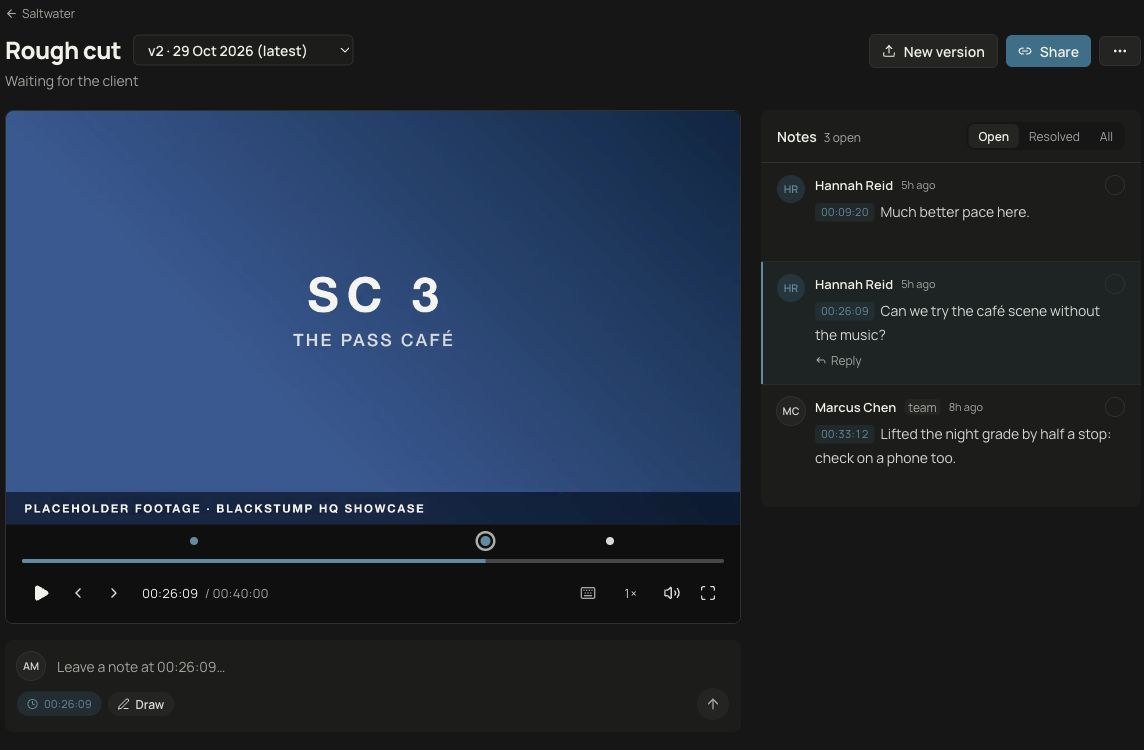
Review in context
Share cuts for client feedback, track versions, annotate frames and record approval or requested changes. Compare versions side by side or with a wipe.
Connect to the edit
The Mac and DaVinci Resolve integration sends cuts for review and brings timecoded notes and drawings back to the timeline.
Prepare the handover
Keep deliverables and wrap-up records with the job. Large-file delivery supports download pages, expiry and optional passwords once storage is connected.
Large-file delivery requires Cloudflare R2 setup. It is not currently enabled on the live service. Ask about setup and access before planning a delivery workflow.
A closer look at postA few practical details.
Can I sign up or open a public demo?
Public self-service signup is not currently available. The app’s fictional demo company is available to signed-in owners. Contact Xander to discuss access or arrange a guided look.
Does everything need to be set up at once?
Core production records live in the app. Email sending, card payments, weather updates and large-file delivery have their own service requirements. We can discuss which parts your production needs and what is currently configured.
Is this for independent crews or production companies?
The workspace connects the same kinds of work across both: planning, people, paperwork and post. An independent producer can keep multiple roles together; a team can give people access to their part of the job. Talk to us about your specific workflow and requirements.
Are the productions shown here real clients?
No. The screenshots show the working app with fictional demo productions, people and financial records. The review screen uses sample title frames rather than client footage.
Make room for the work
you’re here to do.
Talk to Xander about your workflow, access to Timecode or a guided look at the platform.